All tech and Linux blog, under the flag of open source world....

Showing posts with label Linux. Show all posts

July 13, 2020

Mounting NTFS drive (windows) in Linux


Mounting Windows drive can be hassle in Linux as windows now defaults to Hibernation rather than shutting down which will create corrupted NTFS for other OSes to boot from.
You might face errors such as:
> Can't mount, windows is hibernated
Or simply not being able to paste anything in the ntfs drive and reading it only.

to solve this boot into windows and save any unsaved files and while shutting down hold "Shift" button to force complete shutdown.

Then head over to your Linux Distro and make sure that you have ntfs-3g drivers installed. (usually they are default installed), unmount the windows partition then run this command:
sudo ntfs-3g -o remove_hiberfile /dev/sdxX /mount-point
Note: replace /dev/sdxX with the path to your windows partition. you can find this in gnome disks.

Note2: replace /mount-point to your default mount point, usually /mnt.

This will terminate the hibernation session. now you can access windows files in your mount point location. if you  can unmount it in  gnome disks again and remount it so you can access it from gnome files.
Share:

March 7, 2020

Linux package managers, safe and secure

Package managers are built into all of Linux Distributions
 In this widely accessible internet and the security breaches happening daily, not to mention Adware, Malware and Spyware apps which are found on most computers today.
 Package managers help to minimize this by creating a standard which the installation files and application should look like, applications go through a lot of process to get added to a repository. Each Repository has it's own rules for apps, for example the Licence, Code, the amount of resources etc...

Advantages of package managers: 

  • Fast and reliable: They are certified not to contain any errors, major slowdowns or system errors.
  • Secure: You can be sure that they do not contain any problems that put your data at risk.
  • Updates: You get updates fast and without any hesitation, with lower data consumption, less chance of corruption or error. 
  • Support: Any package will be supported out of the box, no system modifications needed, any needed modules, drives, and libraries will be installed.
  • Growth: Usually good distributions come with a good package manager, this plays a major role in a distributions success since your daily job is tied to them
  • Modular: You can remove and unnecessary app or library to be removed without touching other applications. 

Why windows lacks security:

 Windows lacks a lot of security since there is no major application manager, and any .exe file that you get might contain ANY threats, for example installing a notification update in browser, change your homepage, disable your Anti-virus, Encrypting or removing your files.
 Microsoft tried to solve this issue by creating Windows Store, but it was a big failure, since not so many developers moved their creation to the Windows Store (due to high amount of money Microsoft gets to showcase the app in their store). 
Microsoft store is also a revenue gain for the company because the advertisement of apps you see on Windows is what makes Windows free to download and of course they just want to fill their wallets compared to Linux Distributions which you are the manager of your own.


Why Snap and Flatpak are terrible:

Snap and Flatpak are two major package managers that usually users add them alongside their default distribution, I and many more are voting against it, most of the package maintained there are poorly managed, most app developers use it for their badly developed apps that are not accepted by the default distributions are pushed there, so they are not build around the standards. Snap itself has also some issues, snaps packages all of their dependencies along with the program. So a program that uses libPNG will come with its own copy of libPNG. This is good for reliability and simplicity but it introduces several problems.
The installs are much bigger and most of the size is wasted space. Duplicate libraries of things you already have. Second problem, you don't really know what the libraries inside the snap are. They may be out of date, they may even by incompatible with your system in some way.
Snaps also auto-update and that brings issues too. If you don't want that update right now or if it contains bugs. You're getting it anyway, you have no say in the matter.
alongside all this Snap requires a Daemon, which means it uses resources all the time.

Some Facts about package managers:


  • Orphaned packages are packages which their administrator is not supporting them anymore, usually distributions quickly find a new package administrator. (Admins control all the mentioned above in the app)
  • Popular package managers include: DNF, Pacman, Zypper, DPKG.
  • Repositories which contain the packages on the cloud have mirrors, to deliver the best performance to you. for example, if you live in turkey and the main server is in germany, there are copies of that server all around the world which your distro will use the fastest and closest one to make your installs and updates much faster.
Share:

February 8, 2020

Learning the Linux command line with OvertheWire

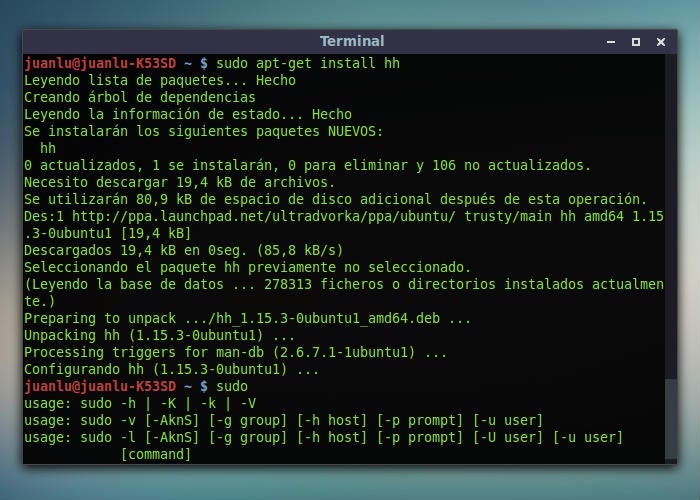
Linux terminal running
  I can say that after switching to Linux, looking at the terminal was frustrating, I would avoid it at all costs, that's why I switched to "Celluloid" a gnome made FFmpeg video player. After dealing with a lot of problems and must usages of the terminal I essentially learnt the commands to progress my work in Linux.
 Recently p4r4xor, introduced to me this really fun game to do and learn, hosted by overthewire, which puts you through different tasks to learn how to manage a server, crack some and memorize some commands.
 The game is developed in a way which will put you through different challanges that increases your productivity and strength and it is established through an SSH connection to the server.


There are different modes as you go, for example bandit sneaks through the files to find information.

The website: https://overthewire.org/wargames/
it's suggested to play as a bandit if you are a beginner.


here I have done the Bandit challange till level 5 with the methods to solve:

Share:

November 24, 2019

Changing mirrors in Fedora

You might have a problem with your package download speeds in fedora Linux but changing it is quiet easy, we will also show you a method of how to find the fastest one.

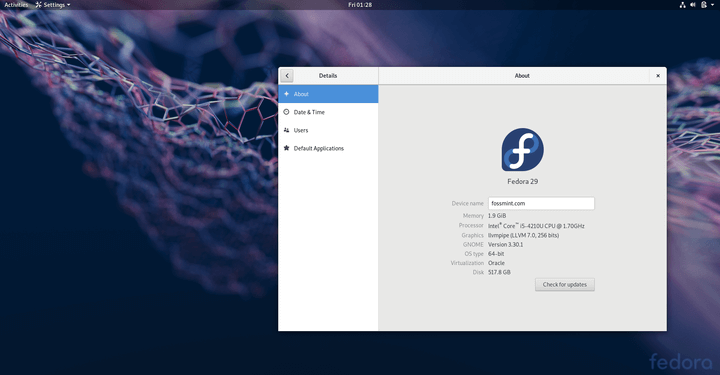
Fedora Linux 29
This guide will work on all recent Fedora versions. First head over to "etc/yum.repos.d" using gnome files, then right click on the empty section then choose open terminal. (you can do this directly with "cd /etc/yum.repos.d" command.)
Then choose a text editor, like vim or nano, and open fedora.repo using sudo. (sudo vim fedora.repo).
Now open your browser and use this link to go to fedora mirrors website, choose your version and find the mirror that you desire. (Select the one close to you that has a high bandwidth for a better speed.)
Click on Http link of the mirror that you have chosen.
Here I have selected RWTH Aachen mirror that is close to me and fast.
copy the link in the new opened page, now go back to your terminal.
In the terminal .
Here I'm editing fedora.repo in vim
Change the #baseurl  in the beginning, by pasting the mirror link. (make sure you don't remove  "$releasever" to the end of the link. because fedora finds the package file using the release version  and it also means you don't need to change your mirror when you update your fedora.)
paste your link and check if the sub directory looks similar to the previous one. then save this file. (in vim you should press Esc then type ":wq")
You can also edit the fedora-updates.repo by doing the same,  just make sure the ../updates/releasever... is included at the end. because this repo is for updates, we don't want to confuses it with the original mirror. Check your new mirrors now! :D
You can use this guide on any repository just make sure you backup.

For finding the fastest mirror

For finding the fastest mirror there are two options: 
  • Test each mirror by downloading a package from it for example I use my browser and download Apache server package and check the time it takes to download it in each mirror.
  • There is a tool here an app that does this for you, follow the guide in the README file there, also note that this is a BETA so backup your mirrors before doing anything.
Thanks to Fedora Community to make this guide happen.
Share:

April 1, 2019

How to install Vscodium in Linux. (with updates)


Visual studio code, a popular IDE for developers.

Visual studio code is among the best IDE's for code writers that features plugins, the problem is that Microsoft still steals your information through it, and it is a bit uncomfortable to see that Microsoft knows what you code.

Vscodium, the solution

Vscodium is the same as Visual studio code but it uses binary releases of VS Code without MS branding/telemetry/licensing. So you are free of Microsoft's shackles, Without loosing any features.


How to install:

First you need to add the repositories to your distribution, I used fedora so in the directory "/etc/yum.repos.d" I create a .repo file named " vscodium.repo "
Using the nano command (Sudo nano), install nano using "sudo dnf install nano" if you don't have it. after nano installation copy this instructions into the interface:

nano interface


[vscodium]
name=Vscodium Fedora $releasever
baseurl=https://gitlab.com/paulcarroty/vscodium-deb-rpm-repo/raw/repos/rpms/
enabled=1
metadata_expire=14d
type=rpm-md
gpgcheck=1
repo_gpgcheck=0
gpgkey=file:///etc/pki/rpm-gpg/vscodium


Then use " ctrl+O" to write in the directory "/etc/yum.repos.d/vscodium.repo " 
As you can see at the end of the code we see a directory containing the encryption key so we need to create encryption key for it, close then re-open nano, type this key into it make sure to include Begin and end headers in the file! :

 -----BEGIN PGP PUBLIC KEY BLOCK-----

mQINBFu8c8sBEACrPcX4UB0rGFObGzIpa3fqJy0K//W5XENNBrGlk6DS68SwkSza
QFoD+ZoGiwGZWy+X5m2bm6A0j8ff61uKLZFx4turikggdqey6RL3NIQOmhzbz9jc
90ZtVG3W2VHwP1Oy2sITJBD1UdCtnRR7ONfoLVJbavPrjHL0VEJqV6kF7ki45DAK
yVbEGjsg668l8FmfMIYyoqV8HQ+JosXQ6ItOH2QlGwvD5RvBmIRzIXSS159+UHBj
jrk81Pb1RLWUafoh8Geh4VZHQrvqkLmds/74KZQg47zDr1atKeIRe/p7UPZIEJsr
puOQP+4yfW8CKN/du62mO37xyJBcQpdsk+27/AAbpluwwzfrRAZcI9wqlmE7CRie
tARI3eLA/BVeLm0U5Jxemc1asTAptQTij9BvzFfZcpkwK+AcVmaicQhJ9iaa8bQ2
oTTE5keewHgVdun+XfeMPPuRcF5QxeVK9dZQVI3nSObOXrehulkYXusMQ4vq8bh7
GktI5n1O2qehnSn/Is7kdLBWDy8xGlgYEWe9oStQ5NSXo4PR7YWDzPs5aXBz9LOa
zthJqM1Ah41q5/rSgfhM3e+vXtF3M8phLoJTE5mlb370XVH1ZLNbXVvIuHO0L+Lh
ruZc/tREFWThOiS+FIGv/MDs4DieWEwr9+/598pFERo7cJEo5AZNgPy8SQARAQAB
tCRQYXZsbyBSdWR5aSA8cGF1bGNhcnJvdHlAcmlzZXVwLm5ldD6JAk4EEwEIADgW
IQQTAt5gIxiJ/h66ytxUZ4z3WieNnAUCW7xzywIbAwULCQgHAgYVCgkICwIEFgID
AQIeAQIXgAAKCRBUZ4z3WieNnPDyD/oCSpzl4uua0r/T4cL0rEhHVg82HounlTs2
BxI0ZhJpjdqIE2ytIFiwdV47yAkt04ow0zEBHbZQldvixfsM3tDYrC6iiC4pRMMc
W6oVGf18r8nKKRmYTaOSPWL5yhLgO/IkQ/kCBsu3Wf0bp3GbHQ4wny+rmP745oG9
npGPPW7EiUcFYPIM/YX2YqSH/FOGcMOwlp1QEvVqypQqaogyUmDRP+6bpKYMuq/c
GuPxHuwPmS7a3Zd6ybAtYBNumC/lNYbfxAZA1NK4WViVGB/P5GBWC0HSfLPsBu7D
/GqoqYCDTYYtSpnw2kUpkGWqOaWZc9S5Jvp26Hw+VoVGBdJUe7s7qJyeNmdjM/cR
/dNY9+fW3w9zWgJZcXTnScmpi0vzA7BLmFfsphPBZ7J1Sc+N72uV/W9A70yyNhSw
DQ20/4D2AHNozmq881LhBlOIw24jb0LlbrA7CFoR10zkpXsS/Vh1EWReV1z4zJDv
H1SKUzXaOJUpqqW0EpblEpH4qg5hknnnW4XjvlWZO/ICkKTi0LxXK9Lmcbhtzg9t
Wh7bfDXHXoQYS4QooJbzUhAHwXvQp03R0qu6UhEVhO42y5PVQ/+18FlhgBd+zP1Q
7Urb93f+7YbSa8e34ANcVvJZc7gP2oRTuVyKVjO/Q9l6+Qzg9DTFVPGYLvYJKIpK
odUkTbb/ArkCDQRbvHPLARAA3zMxF1XX4tLaz/0U7p381AXmtMA2L63mRQ3YGZxg
fVxyVx6FdLujxJHytIGnLb9FYQZkxjYyMVc8/7ukrPUTHDUHm2ab4mG0SvhDI3nx
2qeXE2dYMkpLoBqvFLekFAU129w9BLm9lbHfN+JbbdMmoqlyiufuPM6gz0gBV6ce
oXUtu8Q2/ixshSfvcdHx21ZD2HuNqSyworbzkA+0B0F51QRp1tqYJ7wQm3n82rQ+
YFS97Un+7VWgJrX4aofUxRiDx0VHIYkEN8QcDZTQywT4zkj6tDMyKEp40axvZ6zM
AlaTI1GVrGMUHH7bnZXiF2ZyKHOF6XjTuEfotHXm8fzEHLdhtdUxiQ4+GK5ajQN2
ay/v5JEtsc3FSAmjfTW9r6jEAiDn5TbeKHtLpeGmtPqvgK/Nzo5rRRx0NgymymeF
q7Ir4ATu9x8KKYXa/tFd2Qe8rtxNqhYjUh+W7FpMMNXYa18G+PbwNqpEGMdp51rS
9/Lq2GSYcuCV/jD2QbySUX5wHe9zDNiOuovBFhJZS8H2OGl6aep6zEpV/Q7FcWEG
9fz4RHADSGB6RFFI8hyV0/YaVU9rB4fAOZzybuJ4DSadOAsVVfkk2WdnUM6x1z24
XhRdakH+ekGDg+nqs8wUc4u4ouo7dPTPaxbrUas5gdzjbtwoYXoKaIUnisPRranz
EjsAEQEAAYkCNgQYAQgAIBYhBBMC3mAjGIn+HrrK3FRnjPdaJ42cBQJbvHPLAhsM
AAoJEFRnjPdaJ42cEq8QAKJ1YUzQsgzUWSzkPgSZJwOAujWkDdhw+YbNvjHAgRZA
DrNbIyIYkJ/IevubOnteJgwGP/6qaMJwemM+VJ3e/YHvcvAmIilmH33tnnMRqWsj
xqG021SuX3FGdMXR7WwINZaToh+Lqaj4YXpanjPzGMGKZlzaSdj6avm7KT3HGHjO
Gk/nz0rAsqXfuzQBkHZ+JozUMqrh30+POcvkyFhqmTQ9juECFzOtegbEWYdDFBMA
tig1whBccebZ0W+Sva+e1AKktwHNtweaofCg8zQ39Nx1KOz9FoH4B2QF+dYU/yMQ
BpPYTRQPfbaf2/t5JJaoplWrE2gP+JS8ET11J7U4xtzqs7QprcCurTZv42PjwPKu
Hc8uwE1VaeX+d7zRGXD9ooR+u+BWKiwxD9p54/QHu/qh/x/4evrETTIZGsheojgm
srMYT2mW1hLFcOANAgvxuIm+O51+XYviQCGPqg8J2jm5zmxMNwEhVx0ObYcnJqve
klJniYNw9Ja9gnXxXWycChhmGM/QFLE0yrN7di7oDeN/JUhPPgppCken/xFihoxz
hlNM8vyJMQiddIBiEcz0zcAbbT74+qFJv9KRsfWAU0MEy3a66H/hybEJu140qTNw
d7e/dbqns8bDX1BP/x5/QKfxbZNoH2QWmCdv/b5dJ97OXFBtPM/VnOYaaFG5y2gX
=LCWI
-----END PGP PUBLIC KEY BLOCK-----


 Copy and write this key into this directory "/etc/pki/rpm-gpg/vscodium", note that vscodium is plain text and does not require any file type,  then just type in "sudo dnf install codium" and you are ready to go! 

After installation run vscodium,  settings>type in the bar "@tag" and click the first bar, then unselect the first three row that appears.


Thanks to fedora community for this tutorial.
Github link for vscodium.
Enjoy coding!
Share:

March 19, 2019

I switched to linux for one month.....

A month ago I got fed up with Windows crashing, being slow and updates actually making it worse than better. I know I don't have the fastest PC in the universe, It's an old 2nd generation quad core i5, with 4 gigabytes of RAM and a mechanical drive, but this must be sufficient to run windows stand alone properly.

There are no versions of Linux that are "Original" or "Main" each have different tastes and looks, and it's up to you to choose what do you want. Linux has a lot of "Distributions", ran buy a company or community. For example android is ran by Google and manufactures pay some money to use it, on the other hand community driven distributions are free. Most companies have 2 distributions, one is enterprise (for companies) and a free version.
At start I used a Virtual machine to get started and I went for ubuntu, it was a nice distribution but very similar experience to windows, but I wanted to go more deep into and giving up some support because ubuntu is widely used.

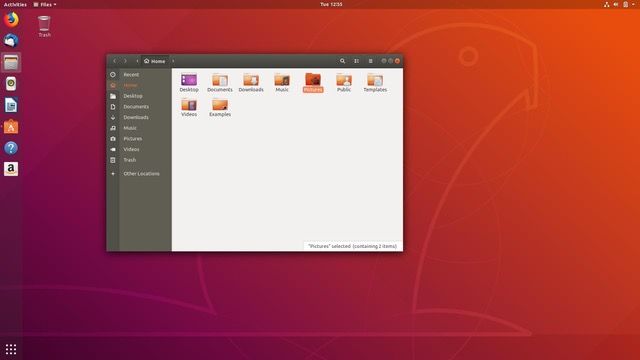
Ubuntu User interface

 If you see the graph of Linux distributions in Wikipedia, there are some main core distributions that others derived from it. Friends recommended Fedora so I went for it.
 Fedora is a redhat sponsored, Community driven distribution with an easy user interface and active community, that has a real Linux taste to it.

Getting started:

It wasn't hard, I live booted the OS from the flash drive and did my daily web browsing and typing, Changing date and time, background, the GUI was very good and buttery smooth. So I installed it on my main hard disk.

As a daily driver:

My first usage of Linux terminal was updating the system, you might thing I went through a series of hack-like commands but no, it doesn't work like that. typing these phrases can help you a lot:
  • sudo dnf intstall <something>: obviously to install something.
  • sudo dnf update: updating the packages(Apps) that are installed.
  • sudo dnf remove <something>: Removing a specific package.
sudo means super user do (something like run as administrator in windows)

Updating all applications at once, very convincing

 The hard part:

Some apps like Adobe software don't run in Linux so you should run them in a windows virtual machine but I had dual boot so I used my pre-installed windows.
A real usage for Linux is editing the core part of the OS dependent on your usage, installing themes, editing the kernel, and mostly developer work. for example some Linux distributions are only 750 MB in size so you can run them in super old laptops and PC's.
It takes time for your brain to understand what is going on the screen, if you come from a windows background. (like me 😊 )

Conclusion:

Pros: 

  • 100% editable, customizable from the kernel to GUI. 
  • Ultimate security, no one can spy on you unlike windows which instantly reports your data to Microsoft.
  • One of developers favorites.
  • Faster work done using Terminal.
  • Works on literally any PC, light Linux versions can be installed on a single core processor.
  •  Supports x64_x86 , ARM, and many other CPU architectures so you can install them on PC's, Phones, and other stuff. (I saw someone that installed it on a nintendo)

 Cons:

  •  Takes time to learn and master.
  • Some applications are not supported like Adobe apps.
  • Gaming is limited. (some game engines regret to work on it.)
I'm keeping it and now windows only opens up in my PC to run some games or Photoshop.

Share:

Labels